- Role
- Product designer, solo
- Period
- Jun 2023 to Oct 2024
- Focus
- Company registration, verification and the admin panel
- Platform
- Web, admin panel, iOS and Android
Context
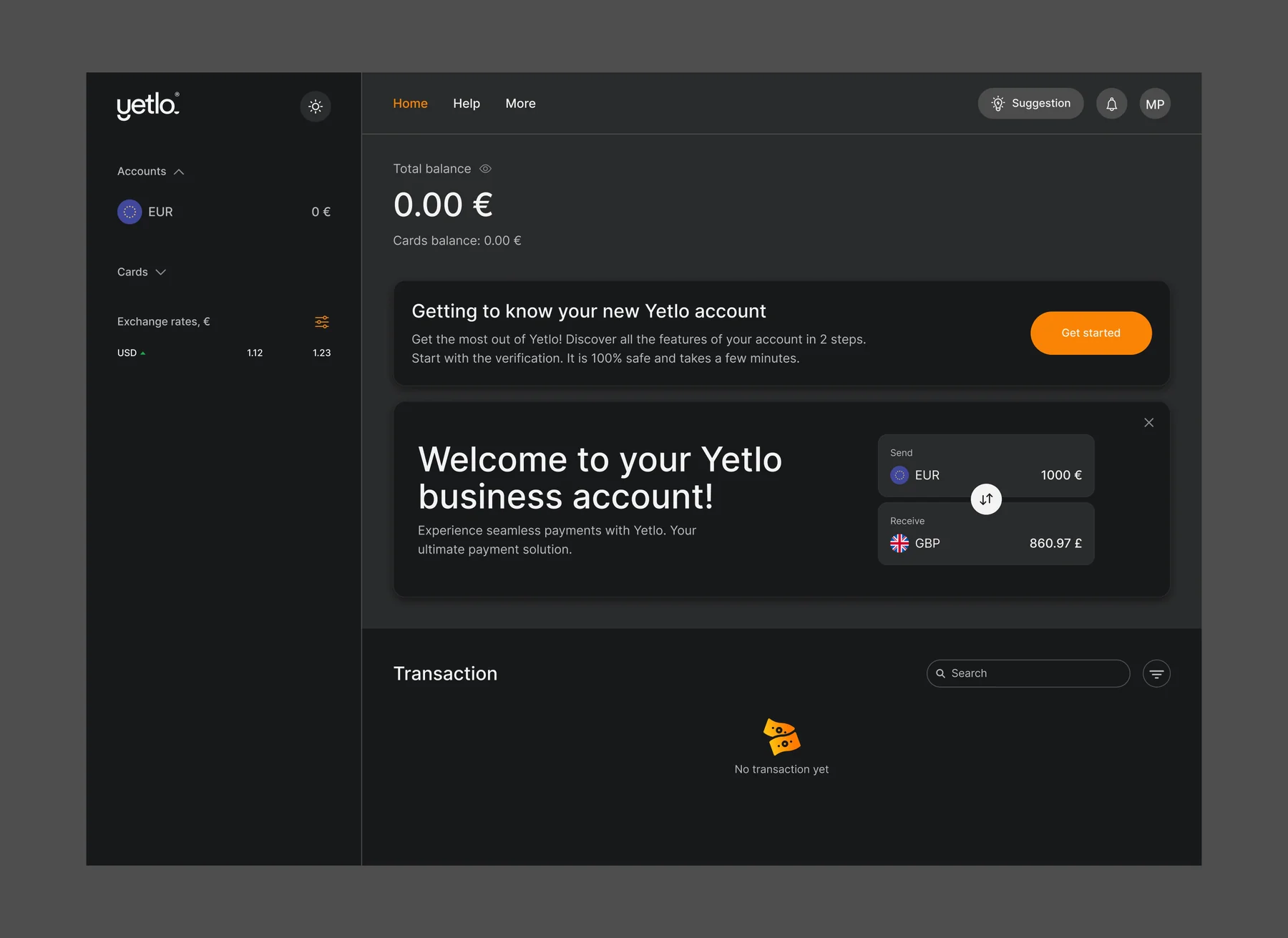
Yetlo Business is a part of the Yetlo project that specializes in business accounts. Companies can create multi-currency accounts, add employees to an account with specific roles or customize permissions for them.
I designed it largely from scratch, as the only designer: the web platform and the admin panel first, then their adaptation to the iOS and Android apps and to dark mode, along with the transactional emails. Most UI components came from the Yetlo design system, so the work centred on the experience and on new functionality rather than on visuals.
Challenge
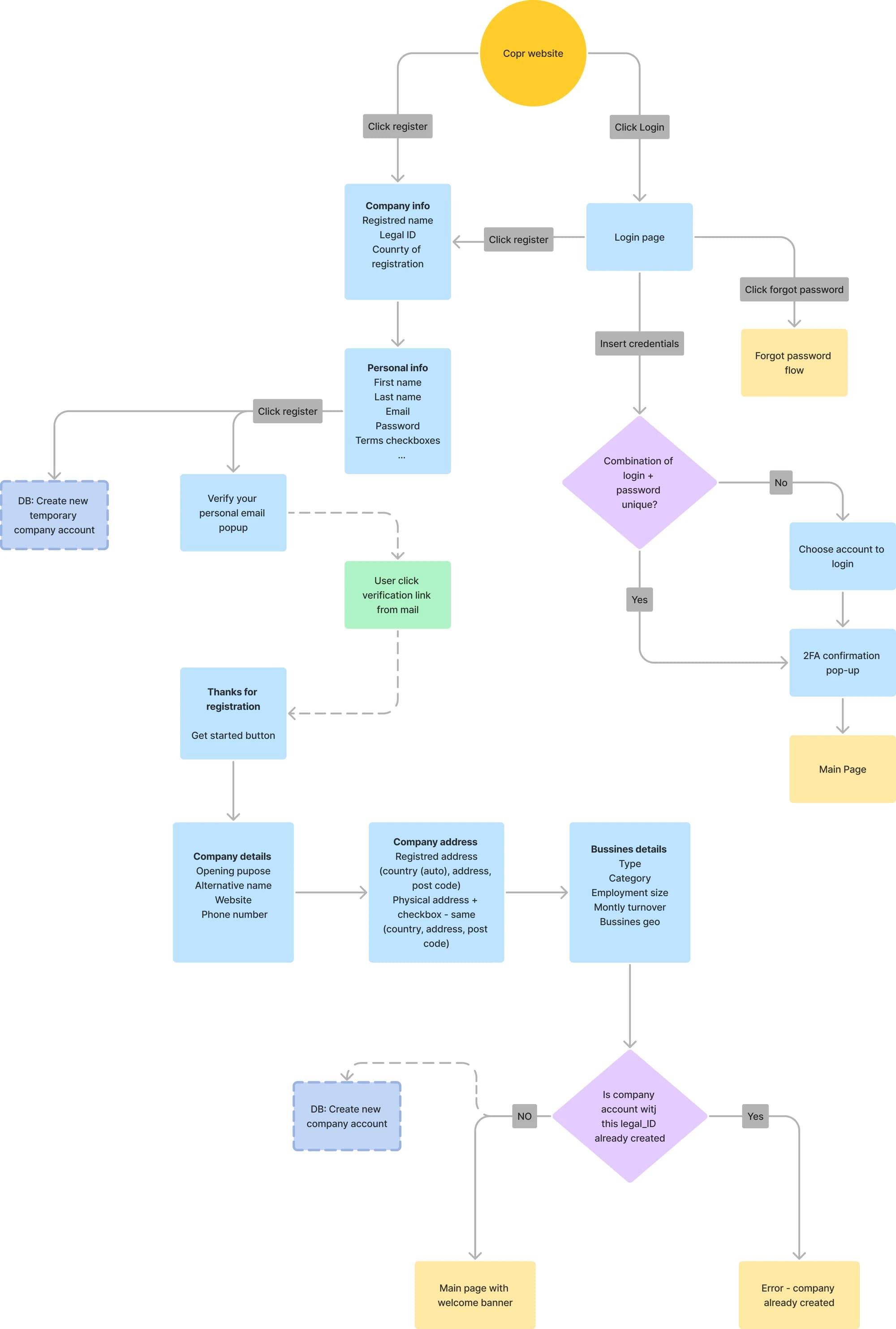
We started with user and company registration. The main task was to make registration quick for customers while still collecting as much information as we needed. It also had to cover cases such as:
- The user already exists on the platform
- A company with the same registration number already exists
- The same company has an incomplete registration
- The user started registration but did not confirm the email within 30 days, and the link has expired
Approach
My responsibilities:
- Modifying the current implementation of the admin panel to fit the new requirements.
- Generating ideas and concepts for new products or features based on user research and business requirements.
I started with a competitor review of Wise Business, Revolut Business and Qonto: how each handles company sign-up, verification and, above all, team access. Three patterns stood out:
- All three keep a single account owner with powers no one else has, and treat everyone else as a team member with narrower access.
- Ready-made roles make setup fast, but businesses outgrow them: Revolut adds custom roles, Wise sets permissions person by person, and Qonto opens up only its Manager role.
- Flexibility costs clarity: the more access is tuned per person, the harder it becomes to see who can do what.
| Wise Business | Revolut Business | Qonto | Yetlo Business | |
|---|---|---|---|---|
| Single account owner | Yes | Yes | Yes | Yes |
| Ready-made roles | Permission groups | 5 roles | 5 roles | 5 roles |
| Custom access | Per person | Custom roles | Manager role only | Custom roles |
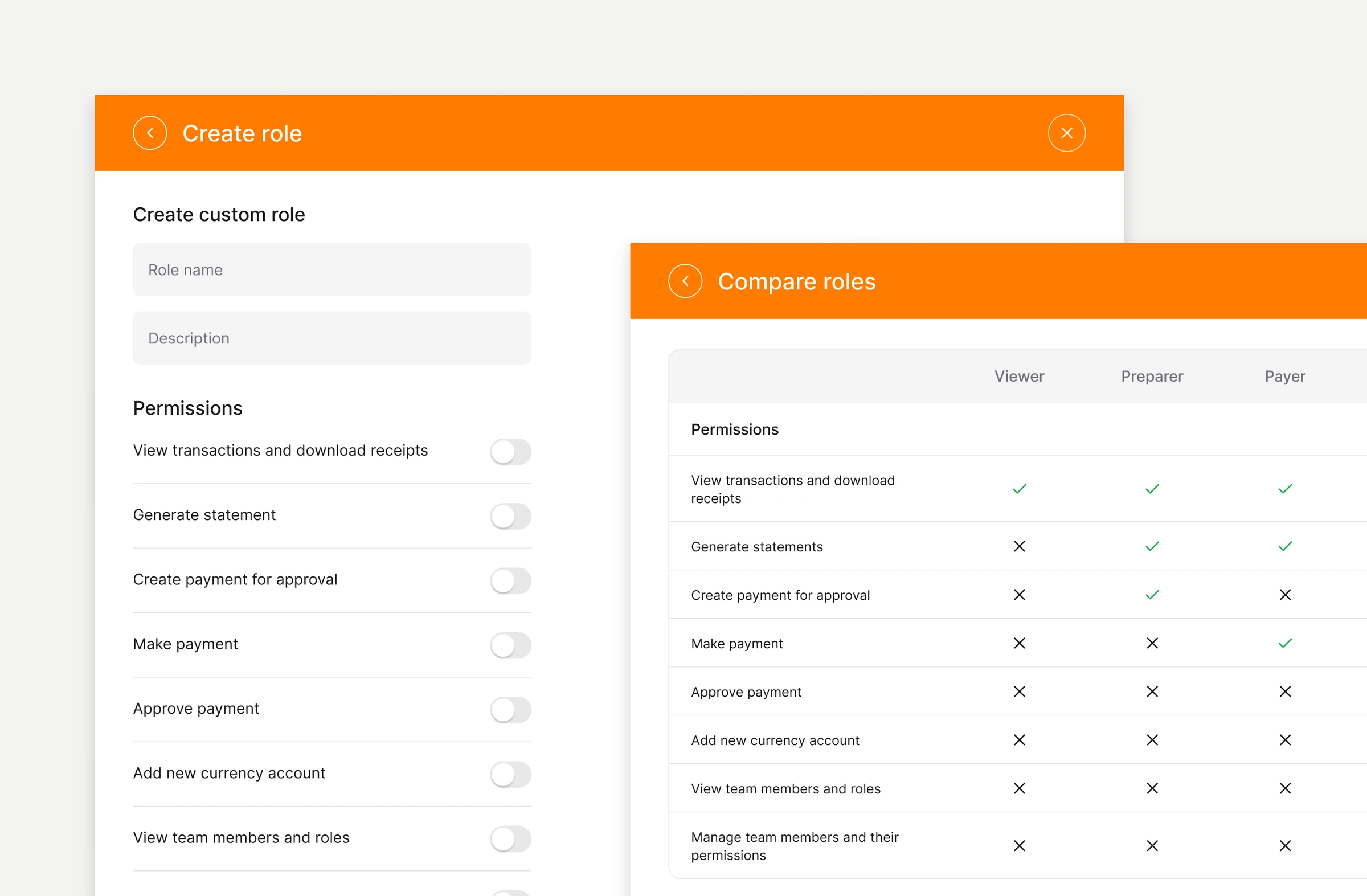
For Yetlo Business that meant five default roles named after the steps a payment goes through, custom roles for the exceptions, and a comparison table so an admin can see every permission at once.
Business accounts carry stricter rules than personal ones, so I worked with the compliance officers in our UK office to pin down how business accounts, client verification and business verification should work before designing them.
Along the way I presented the admin panel and the progress on the web platform to the team, so product, engineering and compliance reviewed the same flows as they took shape.
Solution
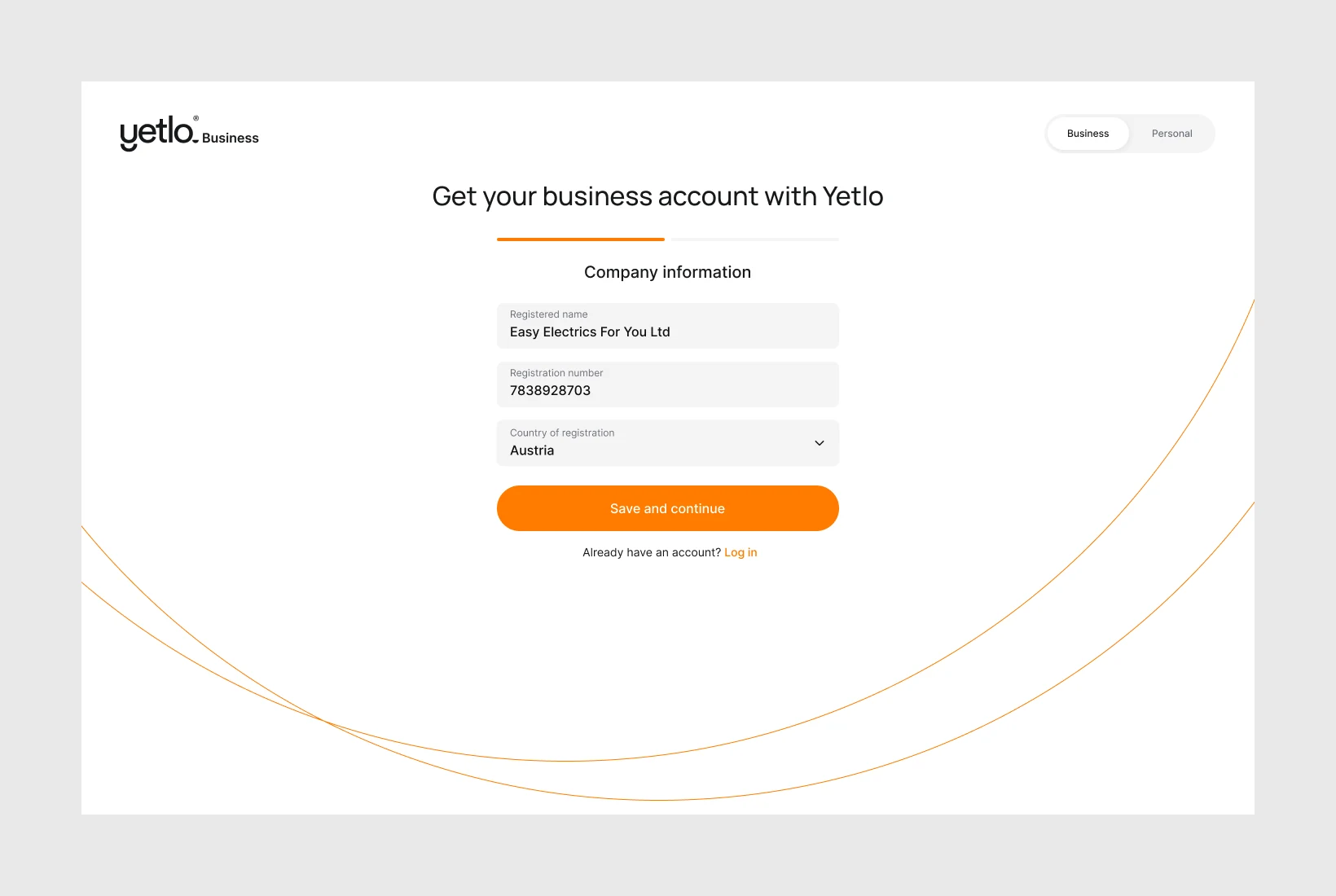
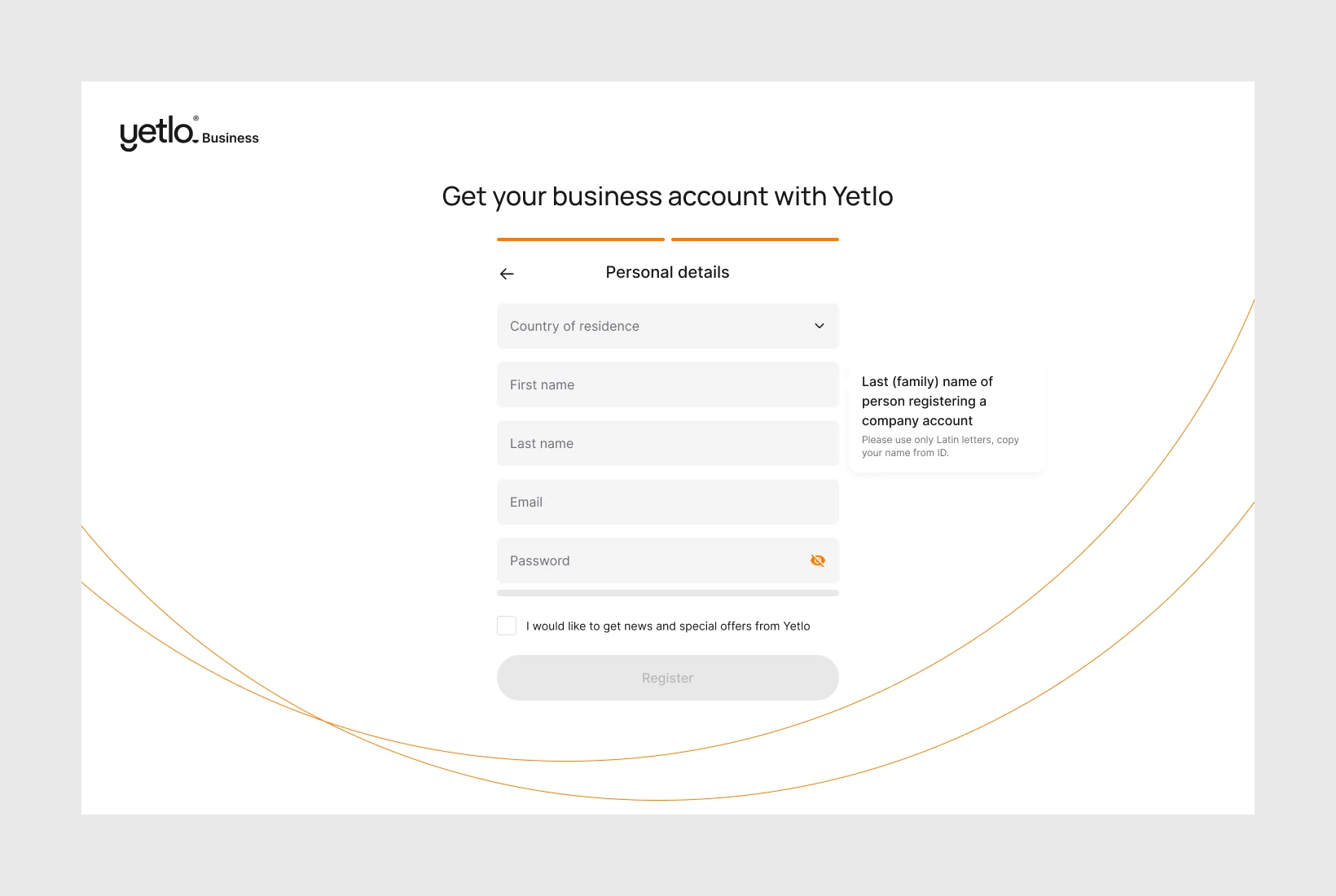
I split registration into distinct steps rather than one long form.
Step one collects the company — name, registration number, country of registration. Step two collects the person. Splitting it this way wasn’t cosmetic: it let us check the database for an existing company registration number and an existing user before either party got deep into the process, so duplicates and half-finished registrations surface early instead of at submission.
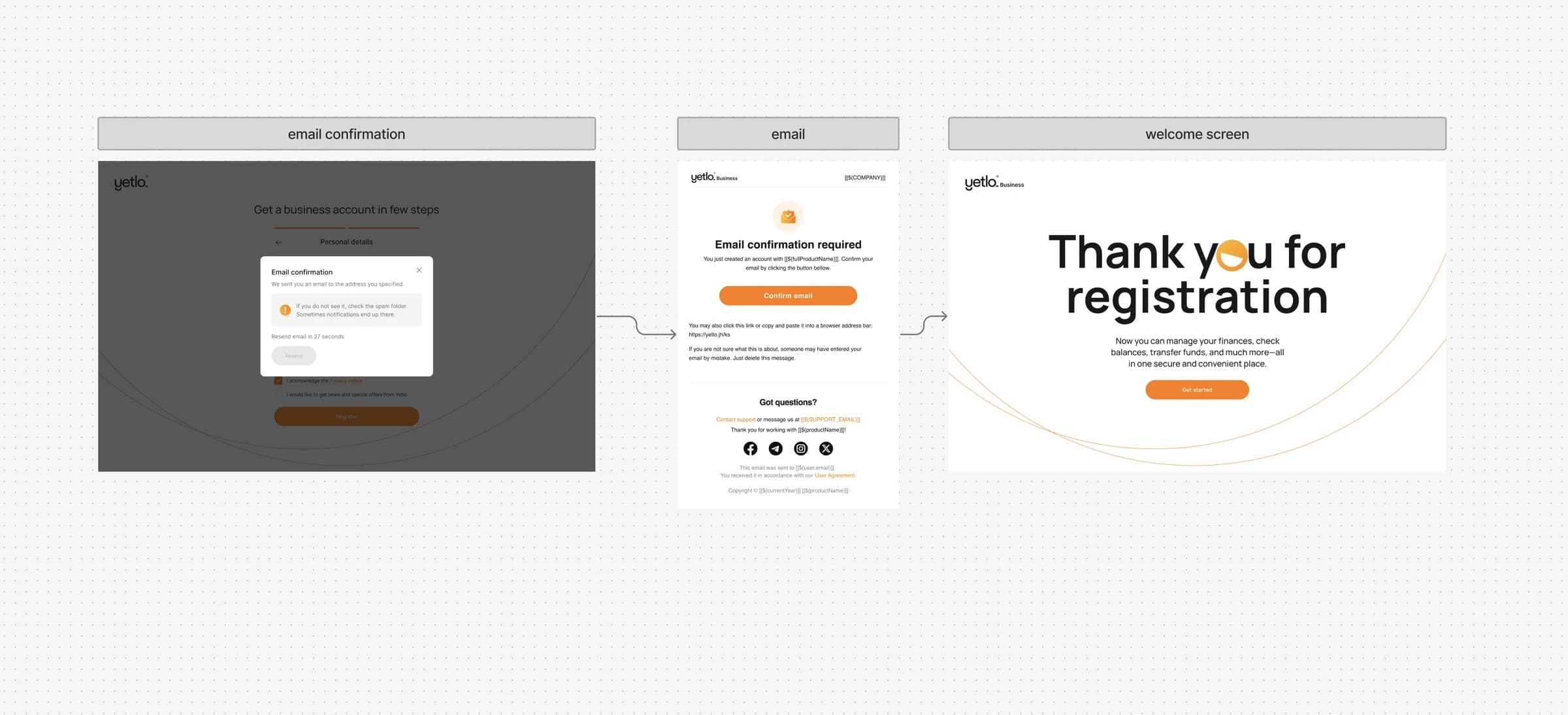
Registration ends with an email check. A modal tells the person where the email went, points to the spam folder and lets them resend it after a short countdown; the link in the email confirms the address and opens a welcome screen that leads straight into the product.
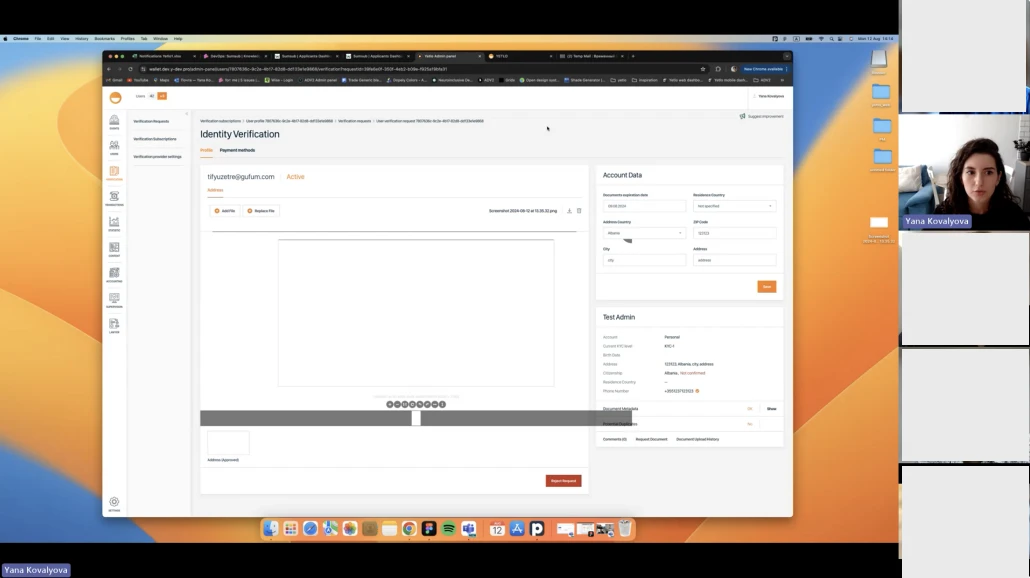
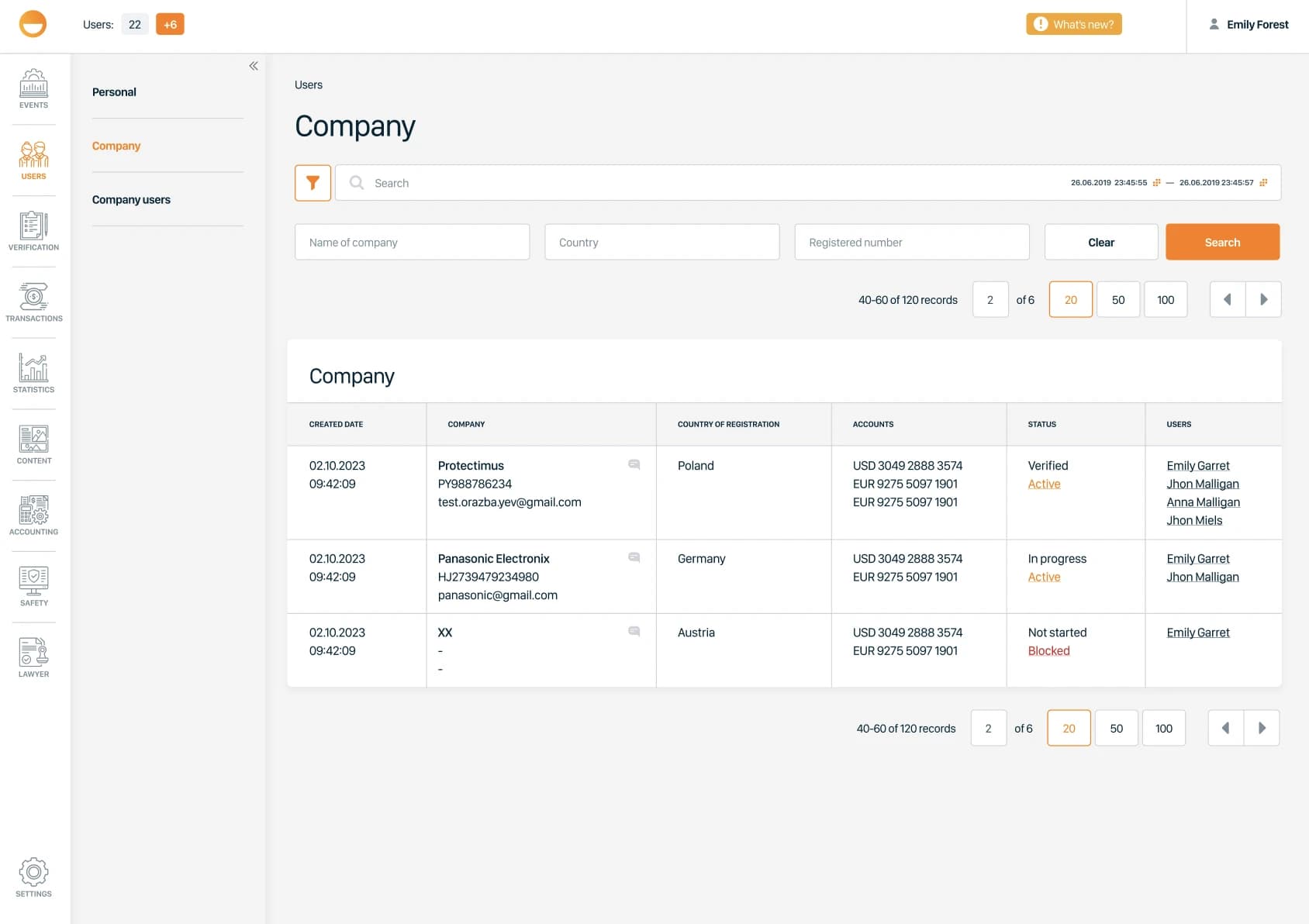
In the admin panel, compliance and support see every company in one place: its registration number, country, accounts, verification and account status, and the users behind it, with filters by name, country and registration number.
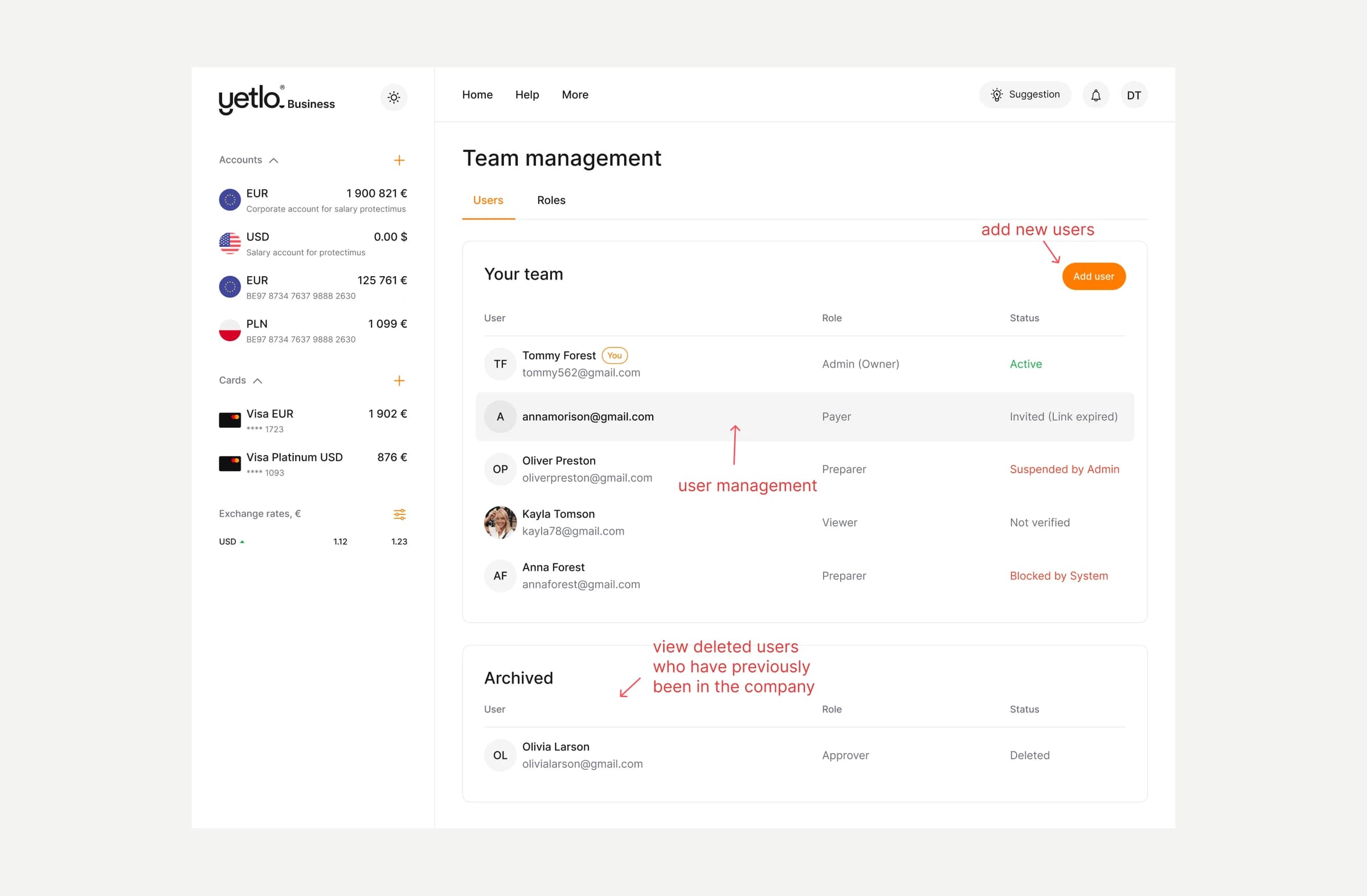
Team management
A company rarely has one person handling its money, so a business account needs a team. Admins invite people and see where each of them stands at a glance: active, invited with an expired link, suspended by an admin, blocked by the system or not yet verified. Former members move to an archive instead of disappearing, so the record of who had access stays visible.
Access is set by role. Five default roles, from Viewer to Admin, follow how payments move through a company: one person prepares a payment, another makes it, a third approves it. Each role says in one line what it allows and how many people hold it.
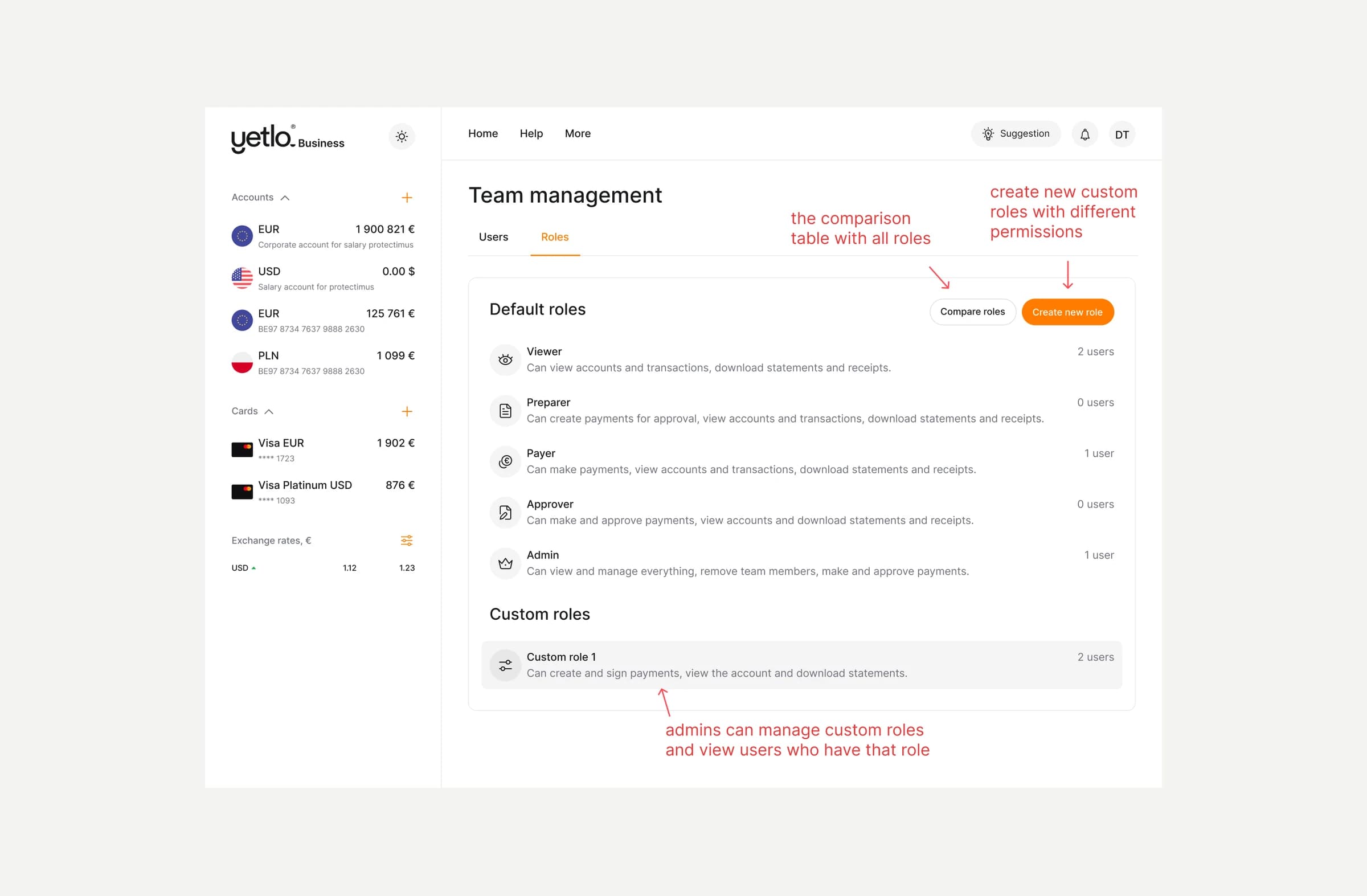
A comparison table puts every permission side by side, so an admin can pick the right role without opening each one. When none fits, they create a custom role by switching individual permissions on and off, and can later edit or delete it.
Emails
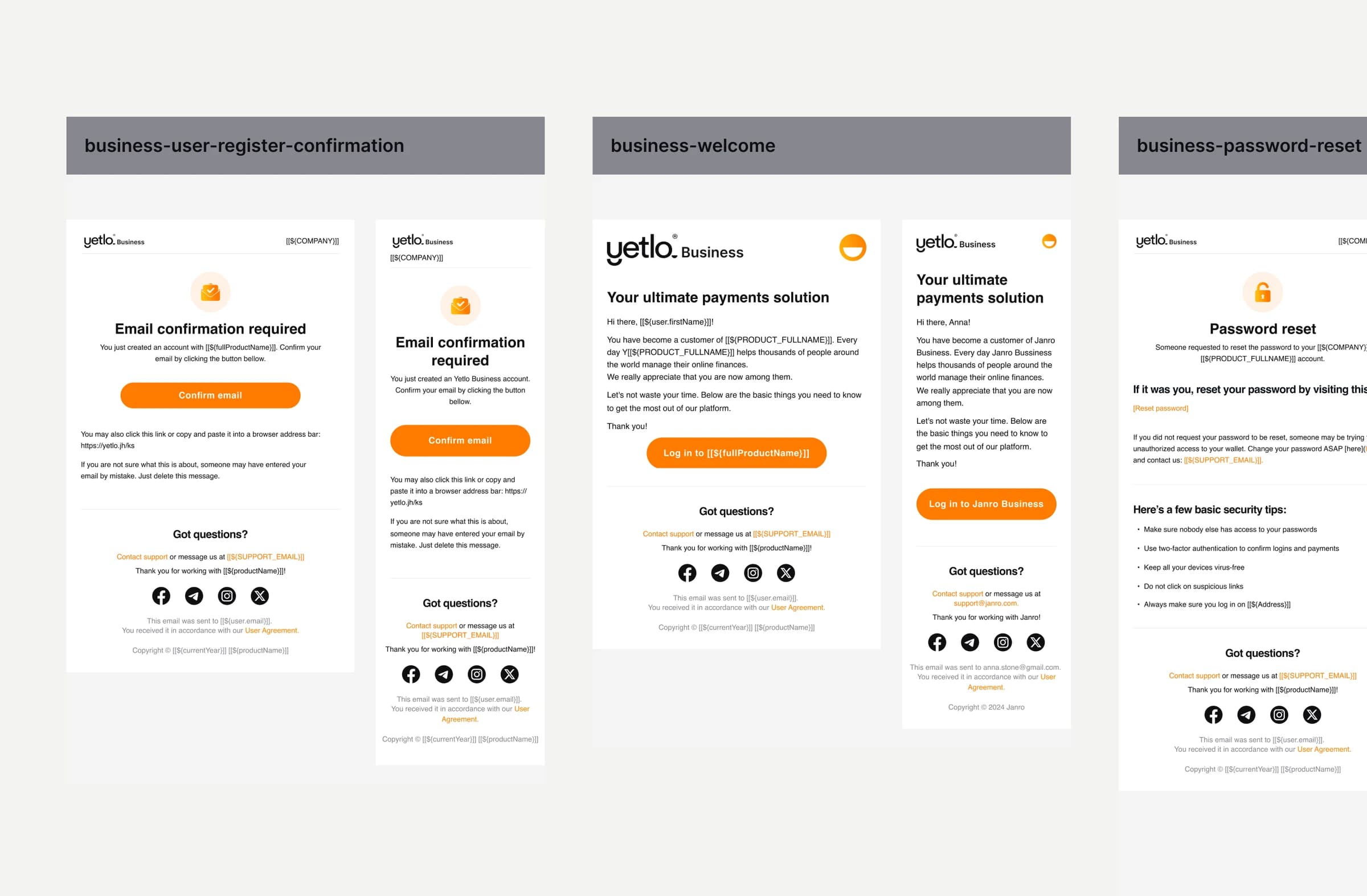
I designed the full set of transactional emails for the business product. Three of them are shown here, registration confirmation, welcome and password reset, each in a desktop and a mobile layout.
They share one structure: the logo, an icon for the message, a short headline, a single primary action, a plain link as a fallback, and a support footer. Names, addresses and links are variables, so engineering builds one template and every new email follows it. The password reset email adds basic security tips, since it is the one most likely to be triggered by someone else.
Impact
Yetlo Business was designed end to end on the same design system as the personal app, across web, iOS and Android, so the business side needed no visual language of its own and new screens moved quickly from design into development.
Registration was built to check for an existing company and user at the very first step, so that duplicate and half-finished sign-ups would never reach the compliance team.
And because compliance was involved before verification was designed, the officers approved the flows without rework.