- Role
- Product designer
- Period
- 2023
- Focus
- Phone banking and data import
- Industry
- Civic tech
Context
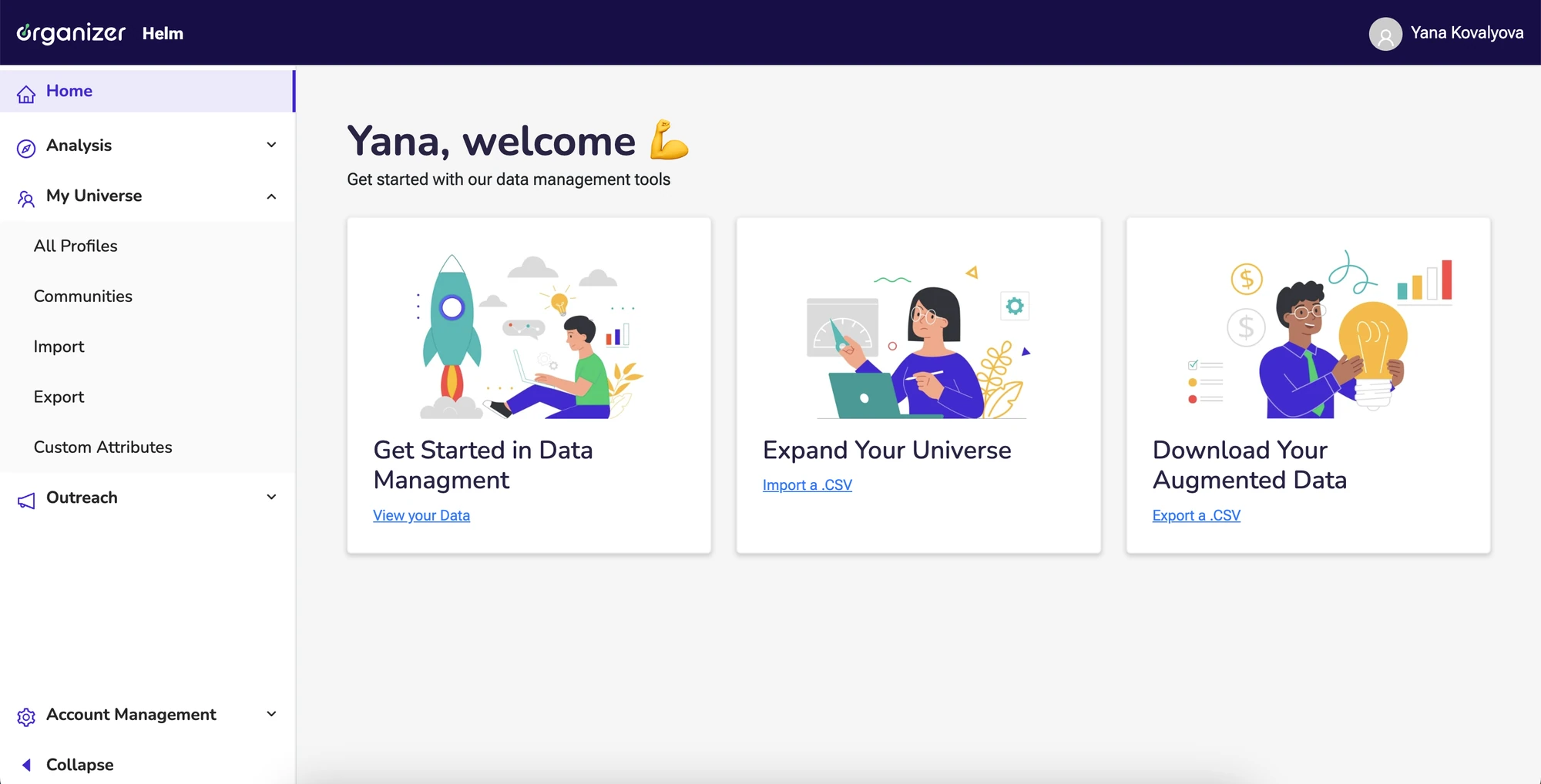
Organizer by Murmuration is a people-centric data platform with built-in mobilization and engagement tools. Nonprofit and campaign teams use it to understand their audience and reach it, with analytics, data management and a fully integrated CRM in one place instead of data scattered across separate tools.
In 2023 I worked on two features with a design lead, a project manager and developers: phone banking and custom attributes in data import.
Task 1: Phone banking
Challenge
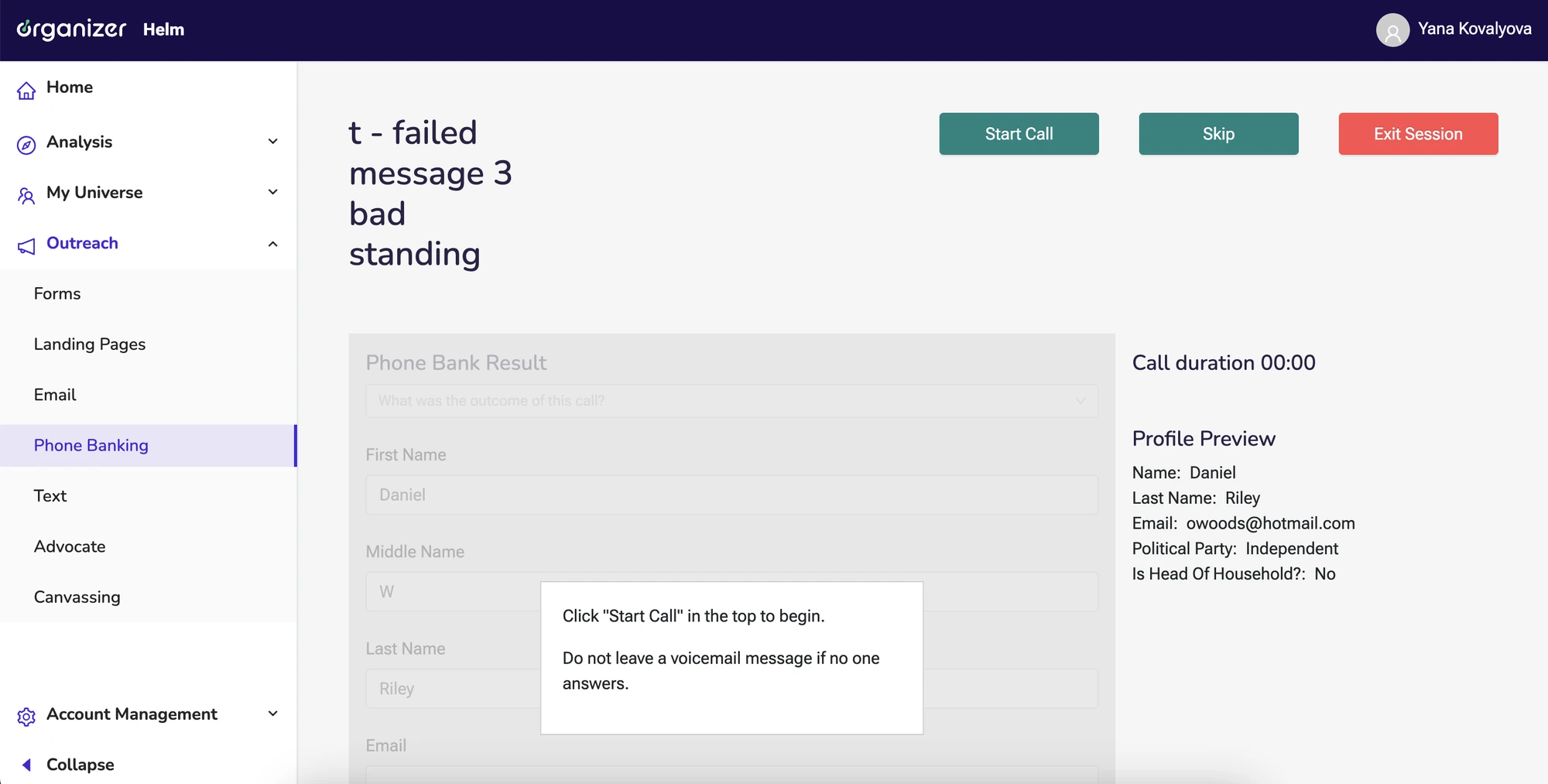
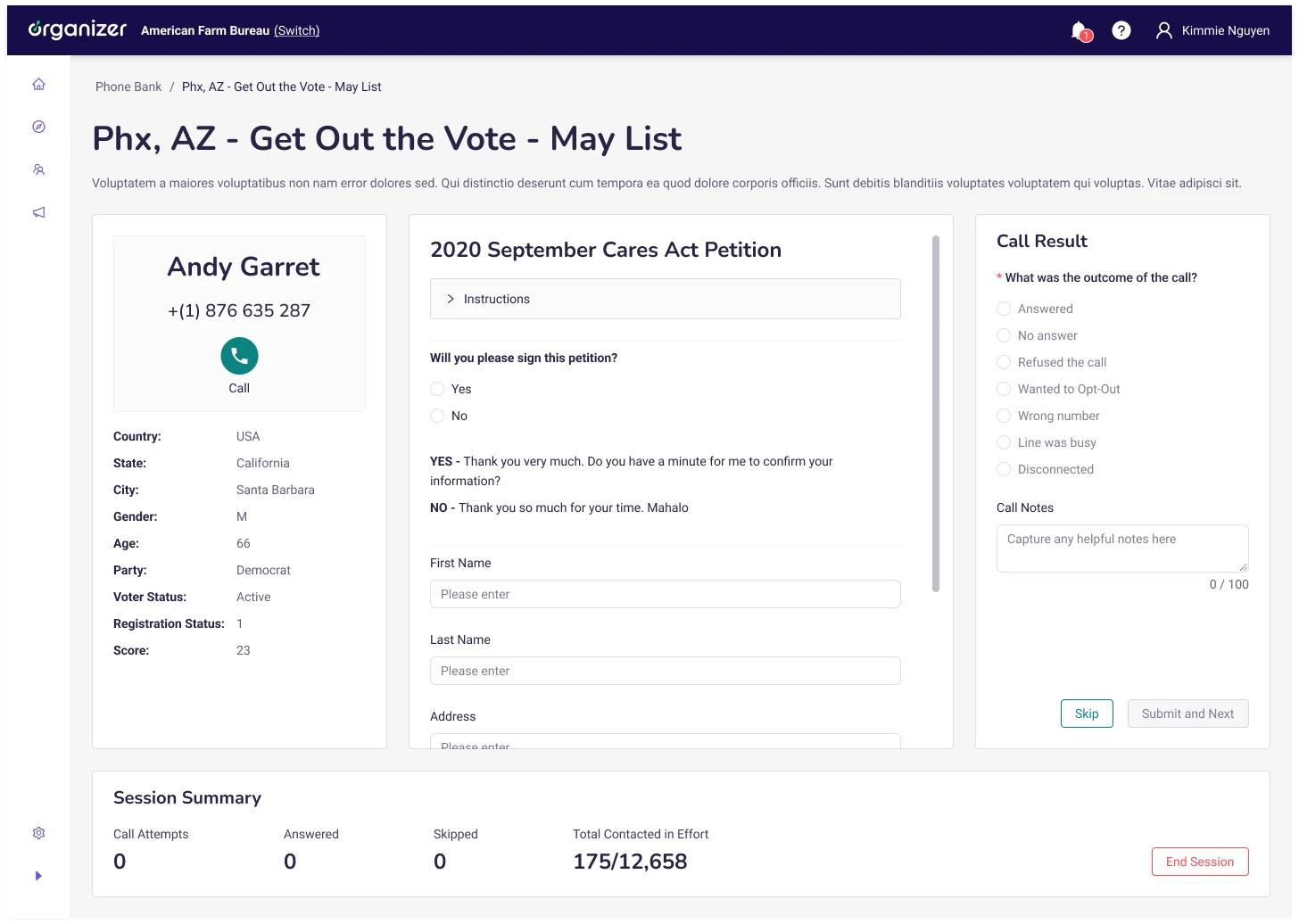
Phone banking existed on the platform only as a rough sketch. The goal was to turn it into a working tool: volunteers call from the platform or from their own number, fill in a survey during the call, and teams get call analytics. The most important piece was the session page, the screen a volunteer works in for the whole call.
Approach
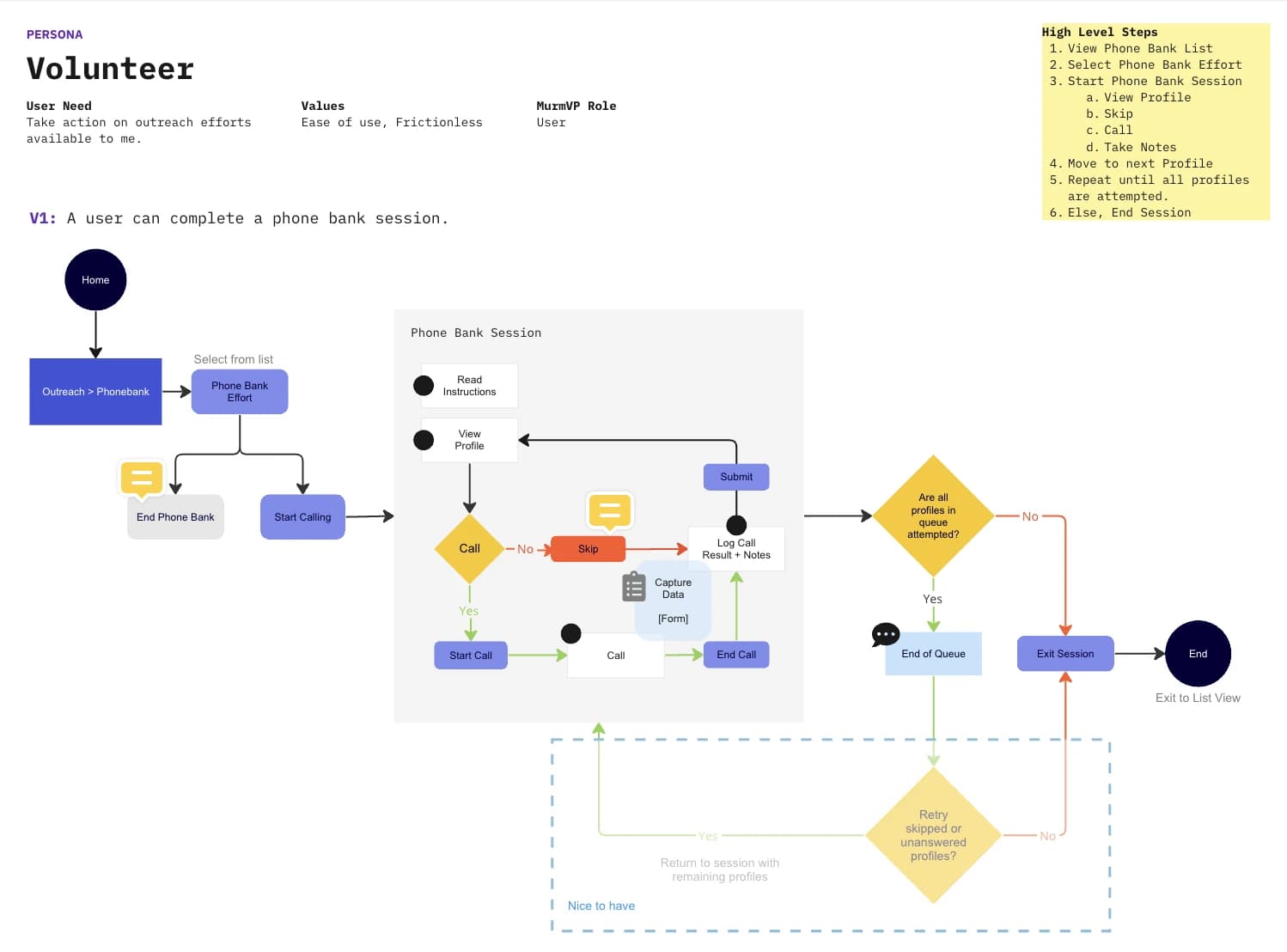
I started by defining the product. Kick-off meetings with the product manager, Head of UX, VP of Product, design lead and a frontend engineer gave me the requirements and constraints. We chose the volunteers who make the calls as the main users and mapped their journey.
Next came research: a detailed competitor analysis, with HubDialer as the main reference.
The session page has many dependencies. What it shows depends on the call result selected, on whether the form is filled in and on which buttons are active. I collected every case in Confluence and walked through the possible scenarios with the developers, so design and engineering agreed on the rules before the screens were final.
In the design phase I built prototypes for the first team presentation, using the existing design system, navigation and layout, since this was already a working product. I also made clickable prototypes for the six main scenarios, to test with users.
Solution
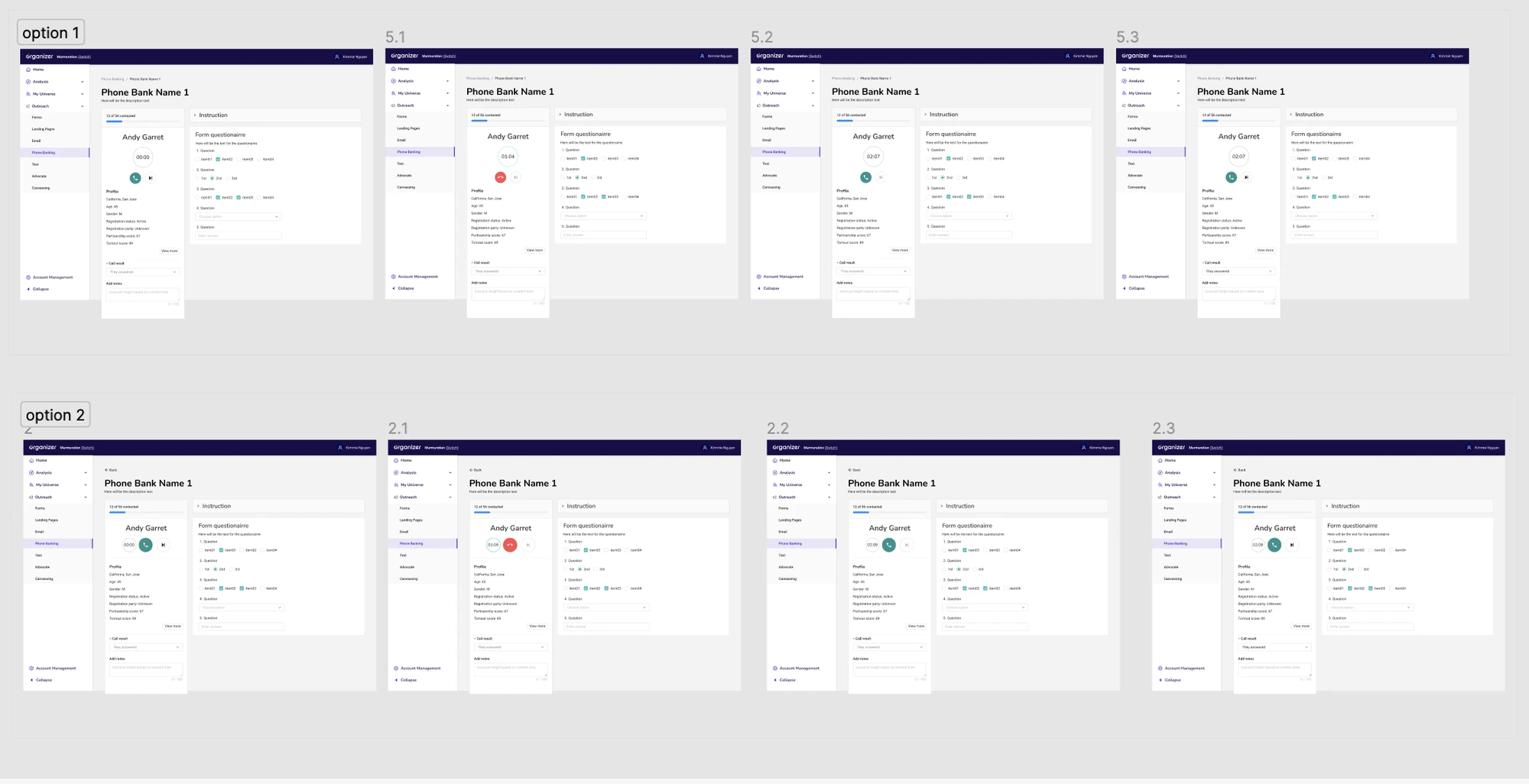
We chose this layout to test:
- Breadcrumbs, name and description of the effort at the top, so the volunteer always knows where they are and how to leave.
- Call area on the left: the call button and information about the person being called.
- Instructions and survey form in the centre. The instructions collapse and expand, as they can be long.
- Call result and actions: Skip, or Submit and next. Until the call has started, the volunteer cannot move on to the next contact.
- Footer with statistics for the volunteer and for the whole effort, and the End session button.
Task 2: Custom attributes
Challenge
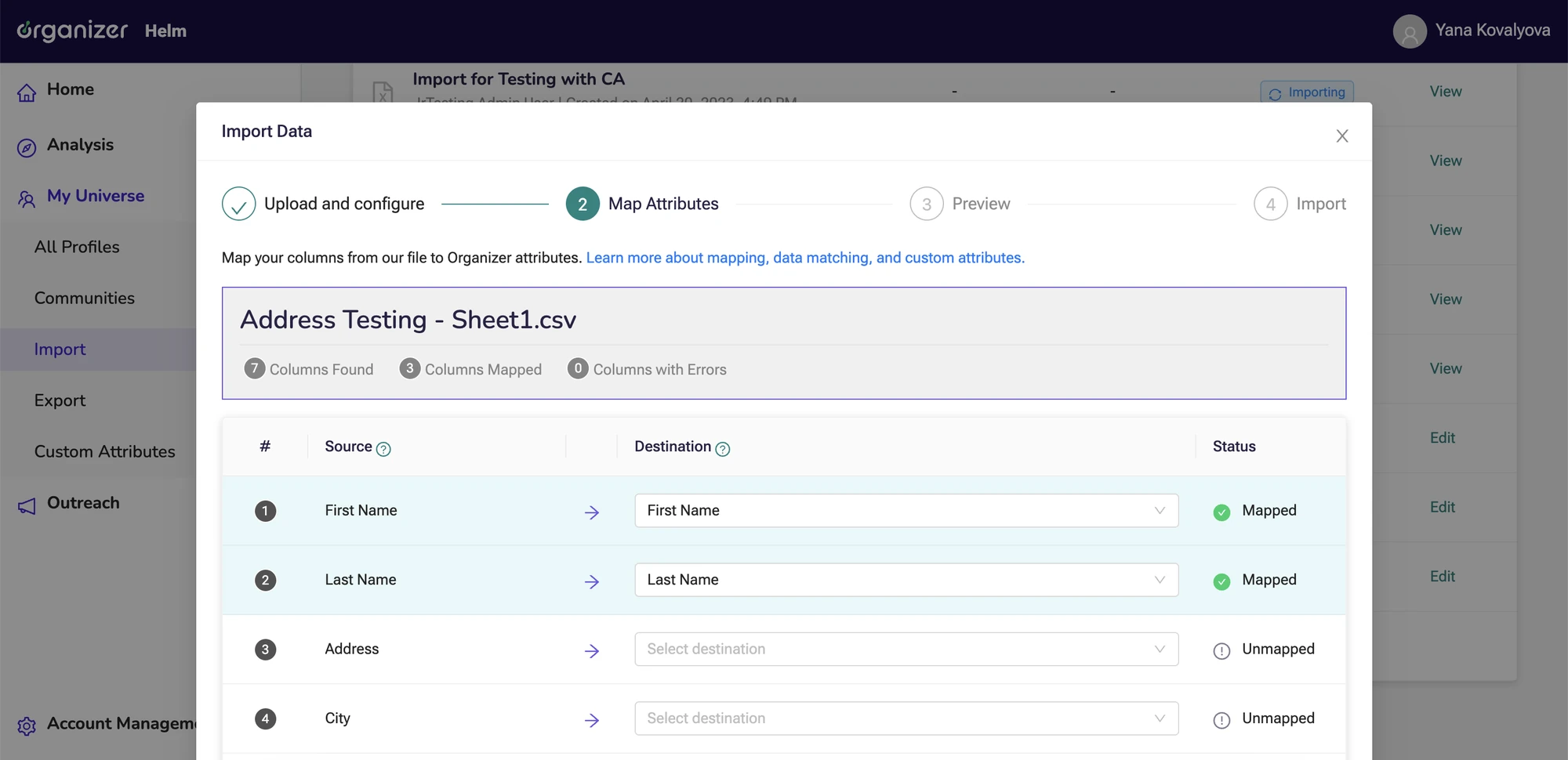
When importing data, users can turn a column of their file into a custom attribute with single or multiple choice values. Without guardrails, one column could produce almost endless options, which would hurt performance and make the CRM harder to use.
Approach
I defined the task with the product managers and stakeholders, and we laid out four possible approaches:
- No limit: users get as many options as the file contains.
- Users add the options manually while creating the attribute.
- No support for radio or checkbox custom attributes.
- A validation step when the user chooses a radio or checkbox data type.
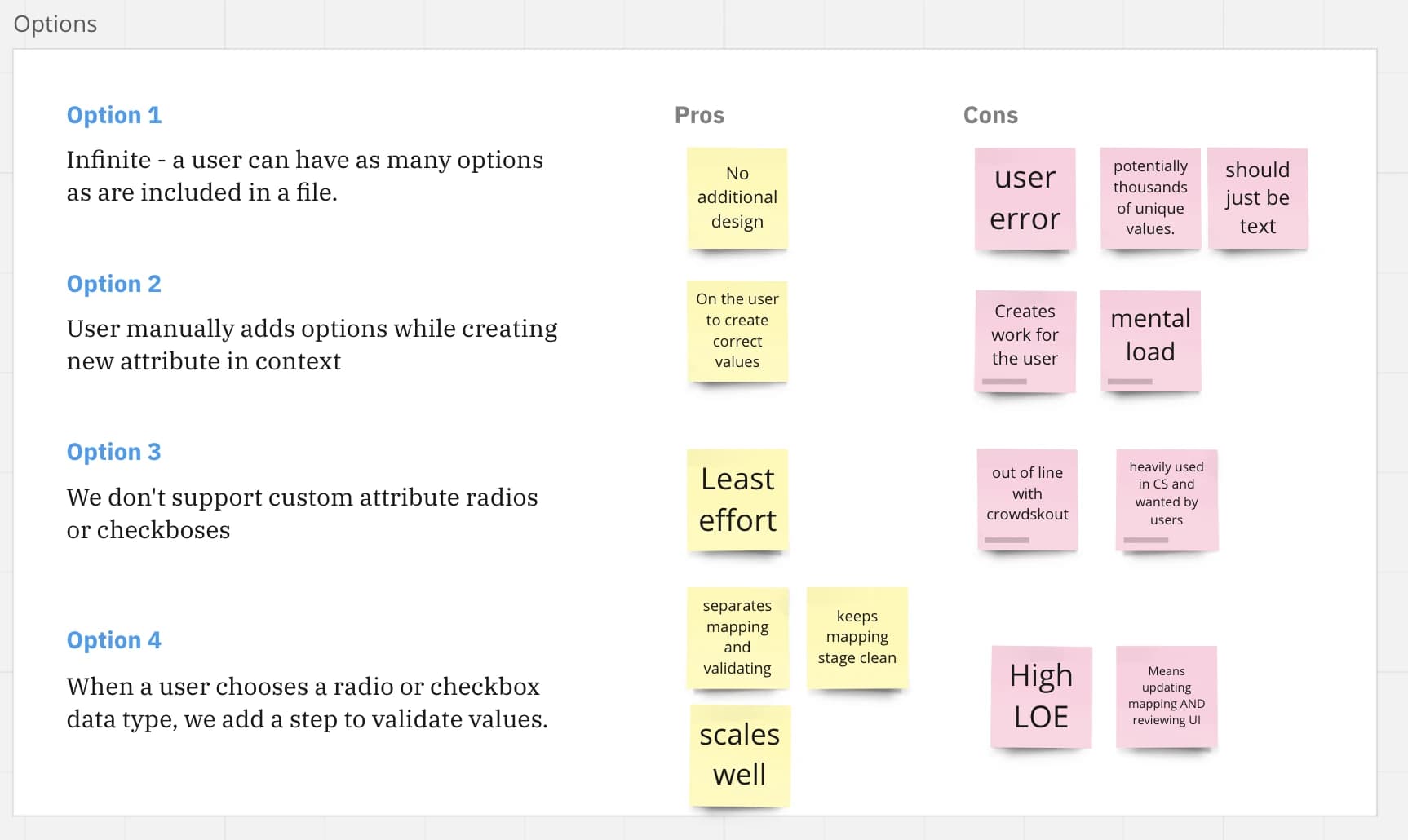
We chose the fourth. It keeps mapping and validating separate and scales well, even though it takes more effort to build.
With the engineers I wrote a user story showing how the user and the system interact, and we reviewed it with the team. There we agreed on a limit of 50 values. After a competitor analysis I moved on to prototyping.
Solution
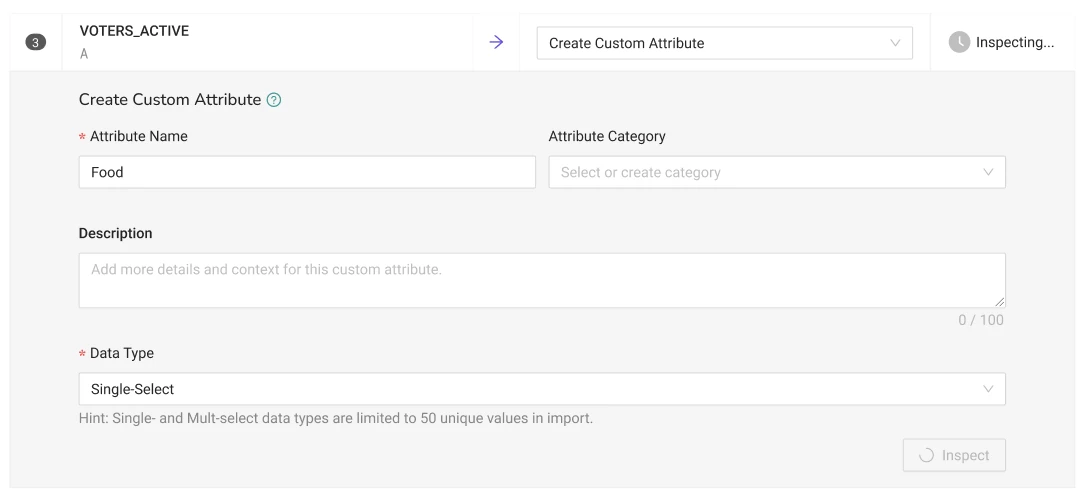
The design makes the limit visible at every step:
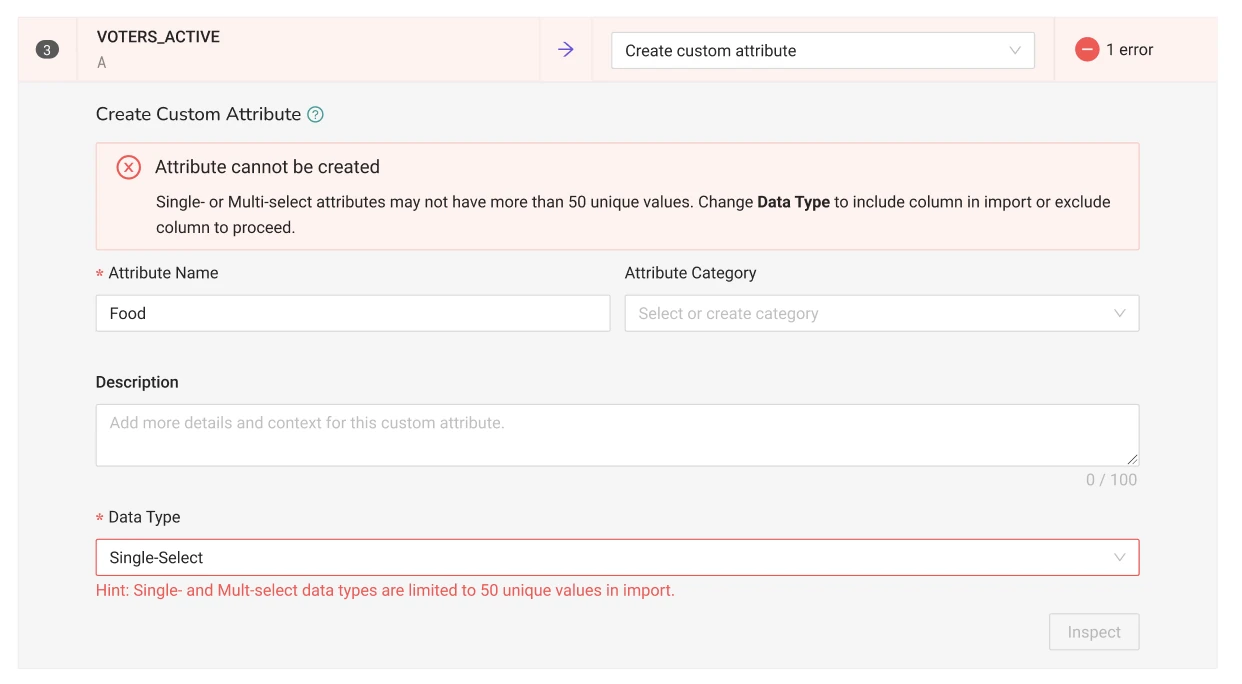
- A hint under the data type says that single- and multi-select attributes are limited to 50 unique values, and an Inspect step checks the column.
- A clear error appears if the limit is exceeded, and it says what to do: change the data type or exclude the column.
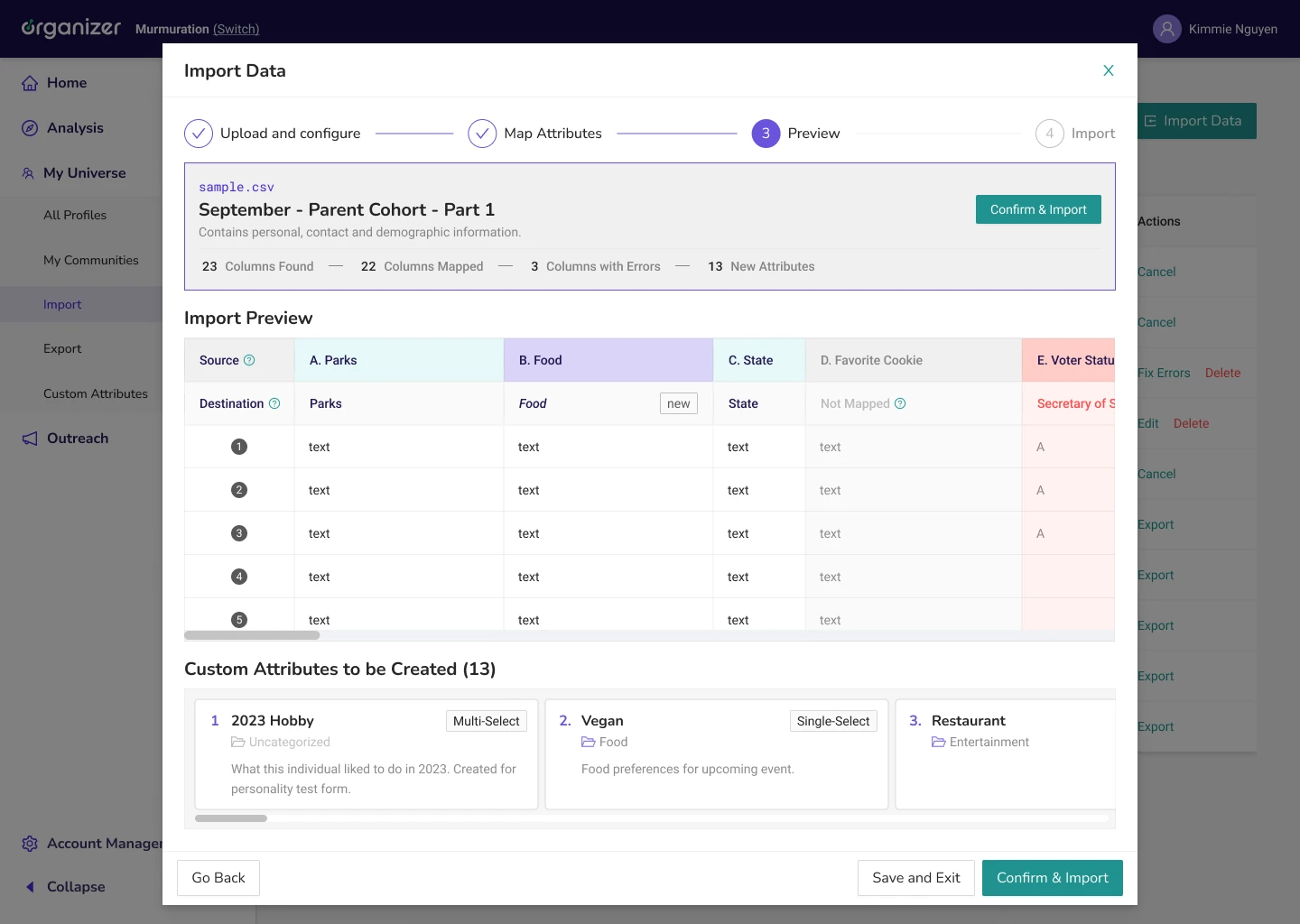
- A preview shows what will be created: a counter of new attributes in the footer, a “new” tag in the preview table, and a “Custom Attributes to be Created” section with cards showing each attribute’s name, data type, category and description.
Impact
The phone banking session page covers every state of a call (not started, answered, or ended with another result; form filled in or empty) in six documented scenarios. Product, design and engineering worked from the same rules in Confluence, and the clickable prototypes were ready for testing with volunteers.
For custom attributes, the design sets a clear guardrail: the 50-value limit is explained before the user maps a column, an error says what to change when it is exceeded, and the preview shows exactly which attributes will be created.